[ FAQs ]
Frequently Asked Questions.
Still wondering? We're happy to talk through your specific assembly use case.
Envision Builder works out how your product goes together from your CAD designs and turns every step into a work instruction, in minutes. The Builder Foundation gives 30 growing manufacturers working access now, a full year after the February launch, and founder pricing.
Apply now, then book a call or join the live Builder Foundation preview on Thursday, November 12 at 1:00 PM ET.
Three short walkthroughs on a real assembly. Sequence it, author it, update it.
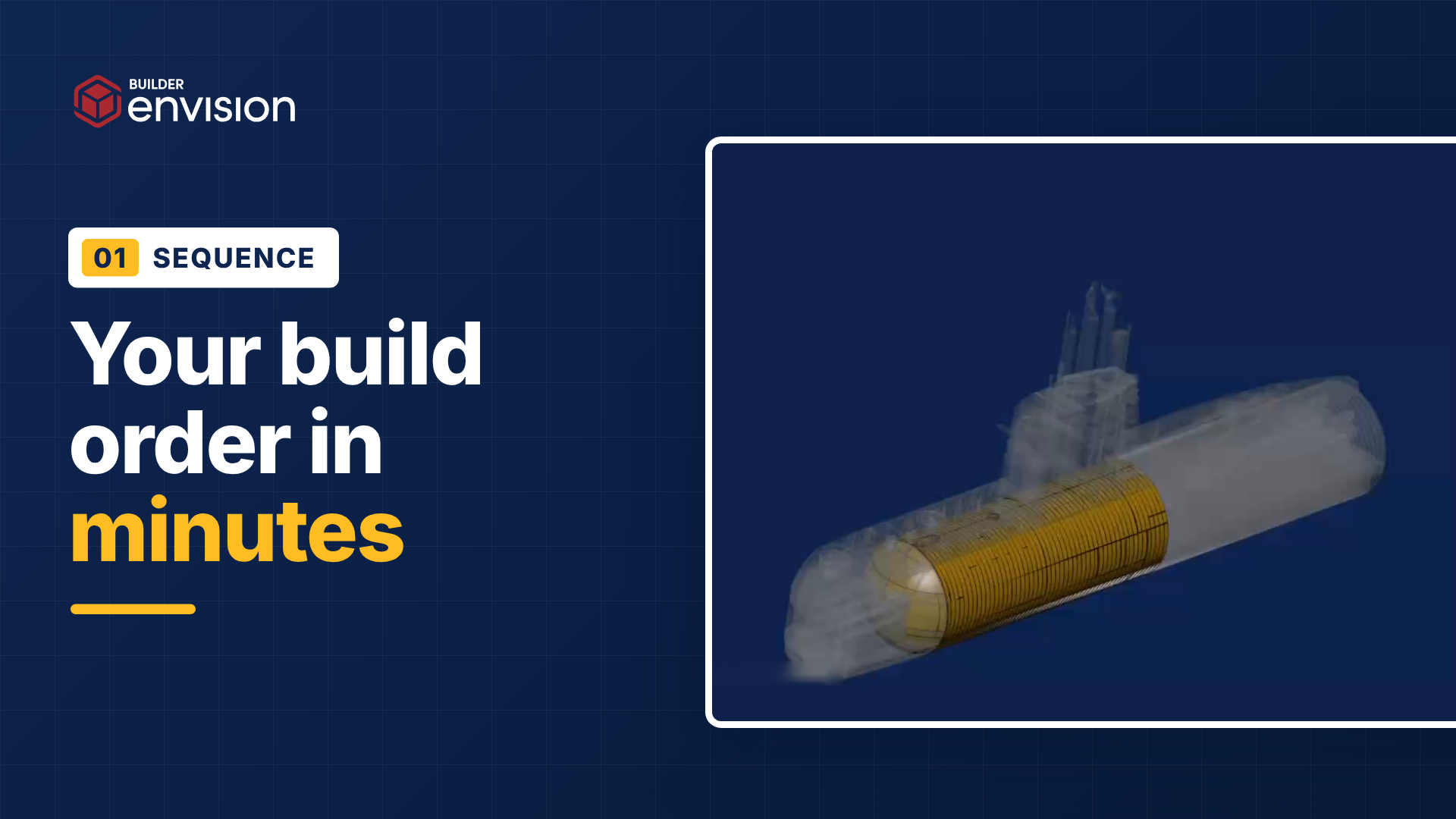
Bring in your CAD designs and get a proposed build order in minutes, built from your geometry and your know-how. Drag a step and everything after it follows.
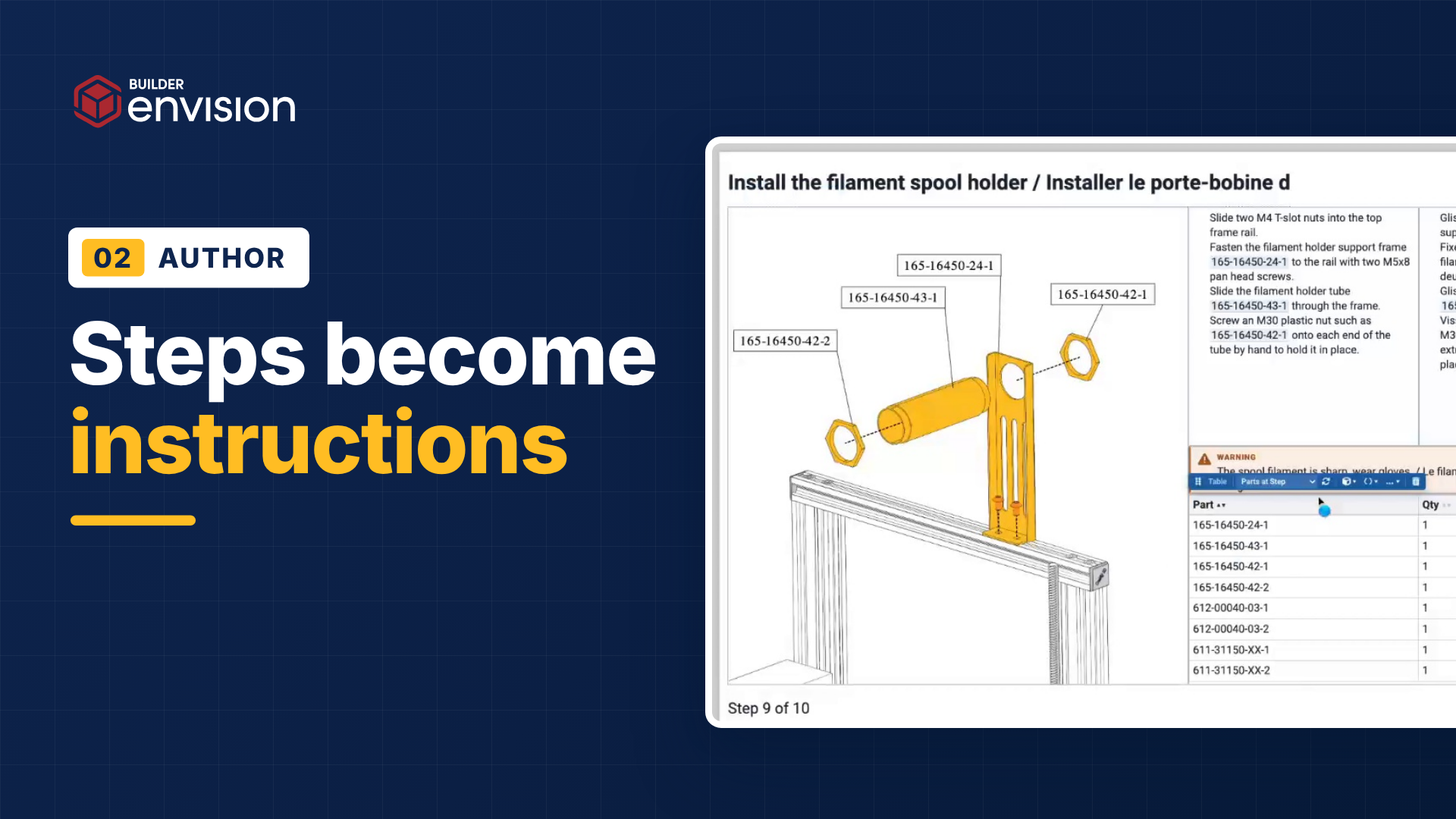
One click lays every step out as a page of your work instruction, in your template. Add the setup, safety, and quality steps that aren't in the geometry, and Evie writes the text.
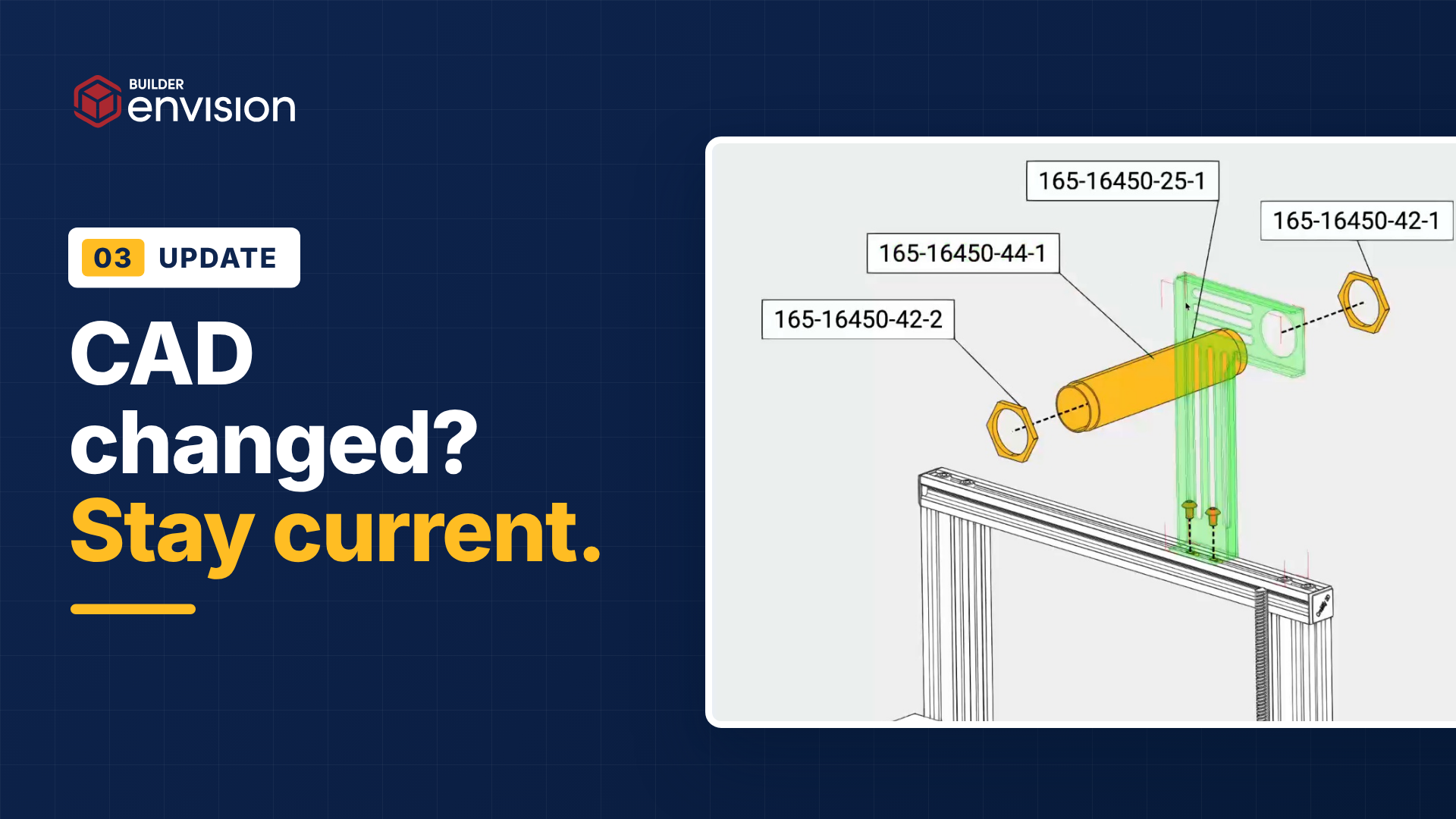
Import the changed CAD design and your instructions update. Resequence and revise in minutes, with AI to go faster, then release the new version to the floor.
Growth doesn't stall on demand. It stalls on the weeks between winning a new product and being able to build it.
Programs are won and plants open on a date. Instructions are the last thing ready, and contract manufacturers get 30 days to go live.
Before anyone writes a step, an engineer has to work out how a model somebody else designed goes together.
Every new product waits in the same queue, behind the same expert, and the backlog only grows.
You're inventing the process while you build the product, and every change sends someone back through the pages.
You don't have time to build a documentation team.
With Envision Builder, you don't need one.
Without Envision Builder
With Envision Builder
Working out the build order
Engineers reverse-engineer it from the CAD designs in meetings and markups.
With Envision Builder
Envision Builder proposes the order from your CAD designs and your know-how, in minutes.
The first instruction
Weeks of typing, screenshots and retyped specs.
With Envision Builder
One click turns every step into a page laid out to your template. Evie drafts the text.
Reordering steps
Every page after the change gets rebuilt by hand.
With Envision Builder
Drag a step and everything after it updates.
Design changes
Someone hunts through every instruction the change touches and rebuilds each one.
With Envision Builder
Import the changed CAD design and your instructions update. Resequence and revise in minutes, with AI to go faster, all the way to the floor.
Review and approval
Markups in email and on paper, and nobody's sure which version is approved.
With Envision Builder
Reviewers and floor experts comment on the instruction itself, and their input flows into the next release through a built-in approval process.
Data from the floor
Data entry in another system, a logbook or a spreadsheet, never tied to the instruction. Pick your MES poison.
With Envision Builder
Checks and data capture are part of the visual instruction, routed wherever they need to go.
A second site
Copies drift and every plant runs its own version.
With Envision Builder
One governed instruction, opened in the browser at every site.
Who can author
The one expert who knows the tool.
With Envision Builder
Up to 25 authors working from your CAD designs in a PPT-like editor.
1
Pick your edition and tell us about the product you want to start with. Two minutes.
2
Book a call right away, or see it live at the Nov 12 Builder Foundation preview first. Either way, we confirm fit and plan your first product.
3
Working access, onboarding with our team, and your first sequence and instruction on a real product.
4
A few feedback sessions with our product team decide what ships in February.
Now
Applications open
Nov 12
Live Builder Foundation preview
Nov 25
Enrollment closes
December and January
Founders build on their own products
February
General availability
Task
Traditional
With Evie
Convert a 20-page PDF manual
6 hours
Under 10 minutes
Create a 50-part assembly instruction
2 days
Under an hour
Generate exploded views with labels
25 minutes
30 seconds
Update header templates across 100 docs
30 minutes
10 seconds
Measured in our internal tests, not promises. Your numbers will depend on the source content.
General availability is planned for February. Founders get working access now, a full year after launch, and founder pricing in year two. Apply below, then choose your next step. Book a call with our team now, or join the live Builder Foundation preview on Thursday, November 12 at 1:00 PM ET.
Spots are limited, so we review every application. Here's what happens next.
Ready to move
If you have a product, a timeline and the authority to decide, you'll pick a time with our team right after you apply.
Want to see it first
Thursday, November 12 at 1:00 PM ET. Watch Envision Builder sequence, author and update a real assembly, with live Q&A. Founding spots are offered to attendees first.
Planning for 2027
We'll keep you updated and let you know when Envision Builder is generally available in February.
Still wondering? We're happy to talk through your specific assembly use case.
Envision Builder is assembly sequence planning software from Canvas Envision. It proposes the build sequence for a product from your CAD designs and the know-how you give it, lets your team reorder the steps, and generates connected work instructions from the finished sequence. It also turns video and existing documents into work instructions. General availability is planned for February. Founders get working access now.
Envision Builder reads the assembly structure in your CAD designs and proposes a build order. Add context such as a similar product, a video of the job, a process plan, or the rules you follow. Reorder steps and add the ones that aren't in the geometry, like setup, safety, and inspection, then generate the work instructions.
Planning the build order uses your 3D CAD designs. Videos and documents you already have can still be imported, and Evie, your AI assistant, converts them into interactive digital work instructions. That makes it a fit for maintenance and service procedures as well as assembly.
Import the changed CAD design and your instructions update. Envision Builder shows what's different and flags new parts that need a place in the sequence and removed parts that need to come out. Resequence and revise in minutes, with Evie to speed it up, then release the new version through your approval process. Operators see it on refresh.
Yes. Envision Builder sits on top of your PLM and MES and doesn't replace them. You can start from an existing manufacturing bill of materials or process plan, and connect through out-of-the-box Envision Connectors for Aras, Autodesk Vault, Infor, SSI Shipbuilding, 42Q, and Rockwell Plex, and through the Envision SDK for everything else. Connectors are an add-on.
Envision Builder proposes a sequence from your CAD designs plus any context you give it, from a similar product to a video to the rules you follow. You can change any step, build the sequence by hand, or import it from a CSV or process plan. Mix any of these as you go.
The Builder Foundation is the founding customer program for Envision Builder, capped at 30 companies. Growth Edition is $15,000 for companies from $10 million to $500 million in revenue, covering up to 3 sites and up to 25 authors. Starter Edition is $7,500 for companies under $10 million, covering one site and up to 5 authors. Both include unlimited Envision Operator users and cover access from today through launch in February, plus a full year after, with founder pricing in year two. When you apply, you choose to book a call with our team or join the live Builder Foundation preview on Thursday, November 12 at 1:00 PM ET. Enrollment closes November 25.
Join the Builder Foundation. 30 founding spots.
Enrollment closes November 25.