

[ The Manufacturing work instructions platform ]

The visual execution layer of the digital thread.

Canvas Envision connects your engineering data to the people building and servicing your products. Author interactive work instructions from 3D models, deliver them at the point of work, capture execution data, and feed it back into your systems.

Request a Demo
Arrow
Request a Demo
Request pricing
Request pricing
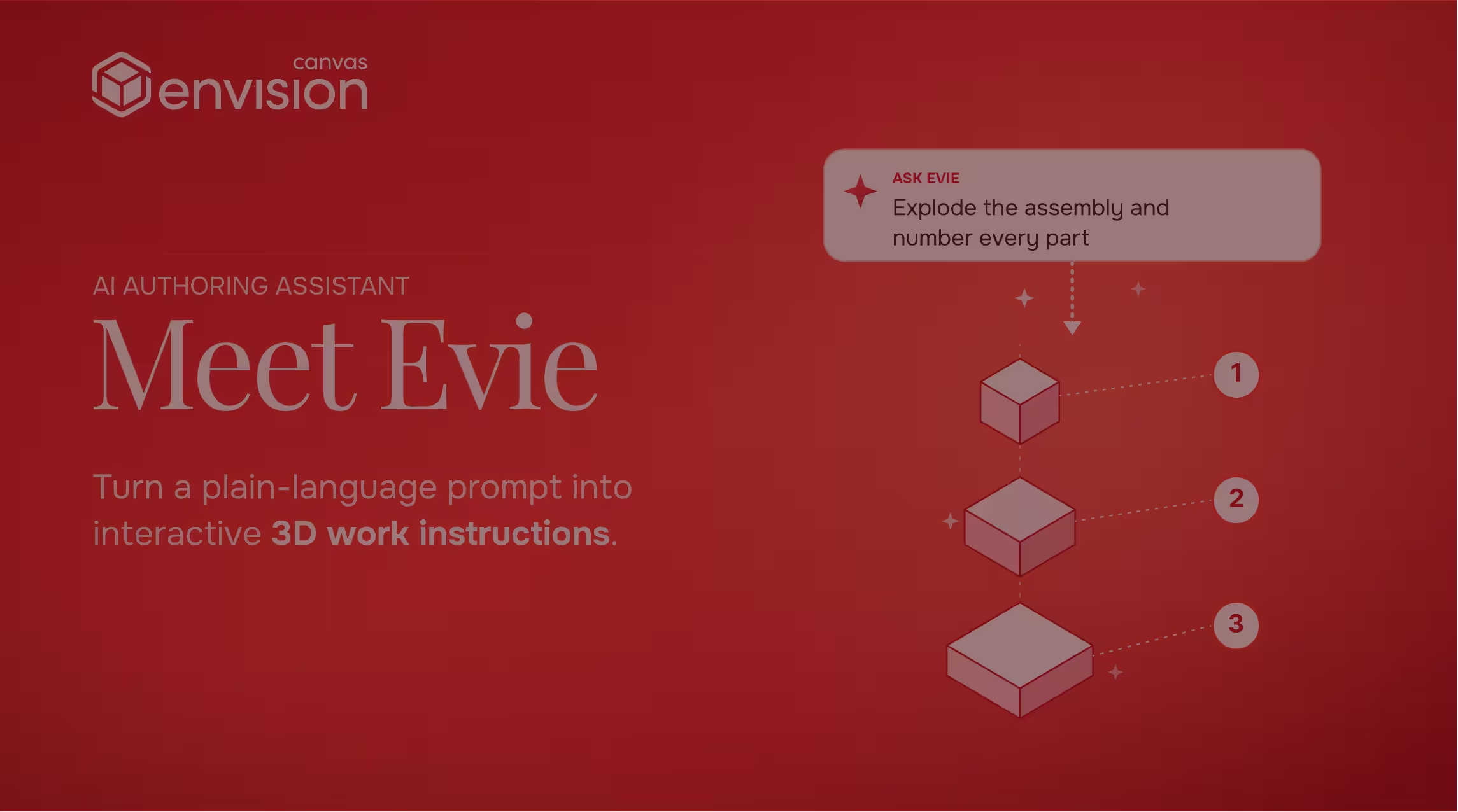
Envision Canvas AI assistant Meet Evie turns plain-language prompts into interactive 3D work instructions.
Watch a 70S demo
Play
EVIE AI & EVIE AI AGENTS
Envision Canvas AI assistant Meet Evie turns plain-language prompts into interactive 3D work instructions.
Watch a 40S demo
Play
ENVISION CREATOR
ENVISION OPERATOR
ENVISION CONNECTOR
ENVISION SDK
[ TRUSTED BY WORLD-CLASS MANUFACTURERS ]
Zipline
Marvin Engineering Company logo
Azenta Life Sciences
Otis
[ WHY CANVAS ENVISION ]

Connected workers need connected knowledge.

The industry has spent a decade on connected workers, smart factories, and digital twins. Most of that investment stops at the screen. Workers still receive engineering knowledge through static PDFs, paper SOPs, and tribal knowledge passed between shifts. Those documents sit off to the side and often go unused once the work is underway. The result is a knowledge gap, where what engineers know about the product doesn't reach the worker at the point of work.

Canvas Envision is the visual execution layer that closes the knowledge gap. Authors build interactive 3D instructions directly from your engineering data and deliver them at the point of work, step by step, with the right level of detail for the job. Every step can capture observations and execution data that flow back to engineering, so the next revision is informed by what actually happened on the line.

[ How It Works ]

From engineering data to the people doing the work.

Step [01]

Connect

Import 3D CAD, PDFs, videos, or existing documentation. Link to your Product Lifecycle Management (PLM) system, and instructions stay tied to engineering source data as designs evolve.

Step [02]

Author

A no-code authoring environment built for manufacturing. Combine 3D, video, images, and text in a single canvas. Evie, your AI assistant, drafts from your source content, labels parts, creates assembly sequences, and converts legacy documents into structured instructions.

Step [03]

Deliver

Publish as graphics or static PDF documents, or deliver interactive digital work instructions on-platform that adapt by worker skill, language, and device. Link to your Manufacturing Execution System (MES), and instructions reach workers in the production workflow they already use, always current and always connected.

Start Authoring
Arrow
Start Authoring
Talk to Sales
Talk to Sales
[ THe Problem-Solution ]

This isn't a work instruction problem. It's a knowledge execution problem.

The work instruction matters.

So does the source content it's built from, the engineering knowledge it carries, and the connection that keeps it current as products change, processes evolve, and people move on.

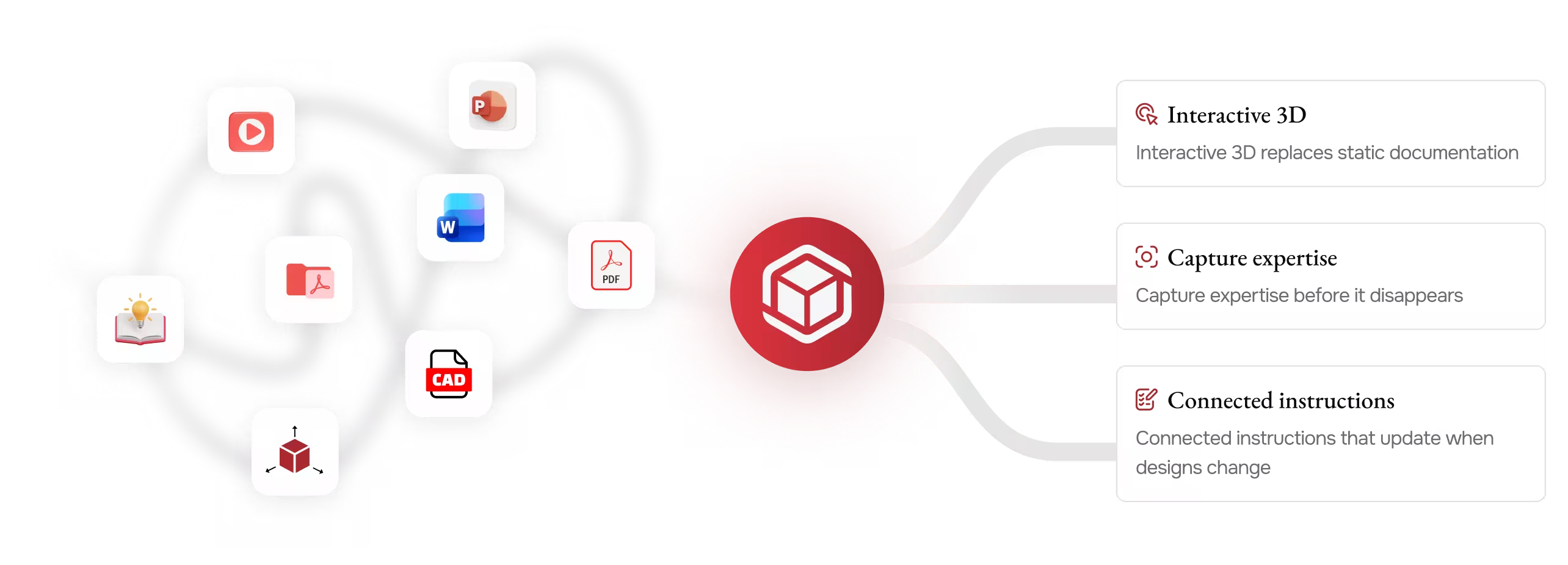
Diagram showing various file types converging into Canvas Envision icon with three benefits listed.
Canvas Envision is the Visual Execution Platform for manufacturing work instructions. It helps you capture expert knowledge, structure it into visual, interactive instructions, and deliver it through a connected system that ensures the right worker has the right knowledge at the right moment.
[ Evie ]

AI that understands your 3D models, your documents, and your manufacturing context.

Evie is your AI for manufacturing work instructions, built into Envision Creator and trained on the Envision Create SDK. Evie understands the authoring environment and works across 3D, layout, text, labels, and translations. Use the chat-based AI Assistant for in-the-moment help, or click an AI Agent and let the system run end-to-end. Authoring that used to take hours to days happens in minutes.

Envision Canvas AI assistant Meet Evie turns plain-language prompts into interactive 3D work instructions.
Watch a 70S demo
Play
[ 01 ]

Intelligent authoring

Evie drafts instructions from your engineering data, structures the steps, and runs batch operations across entire documents in seconds.

[ 02]

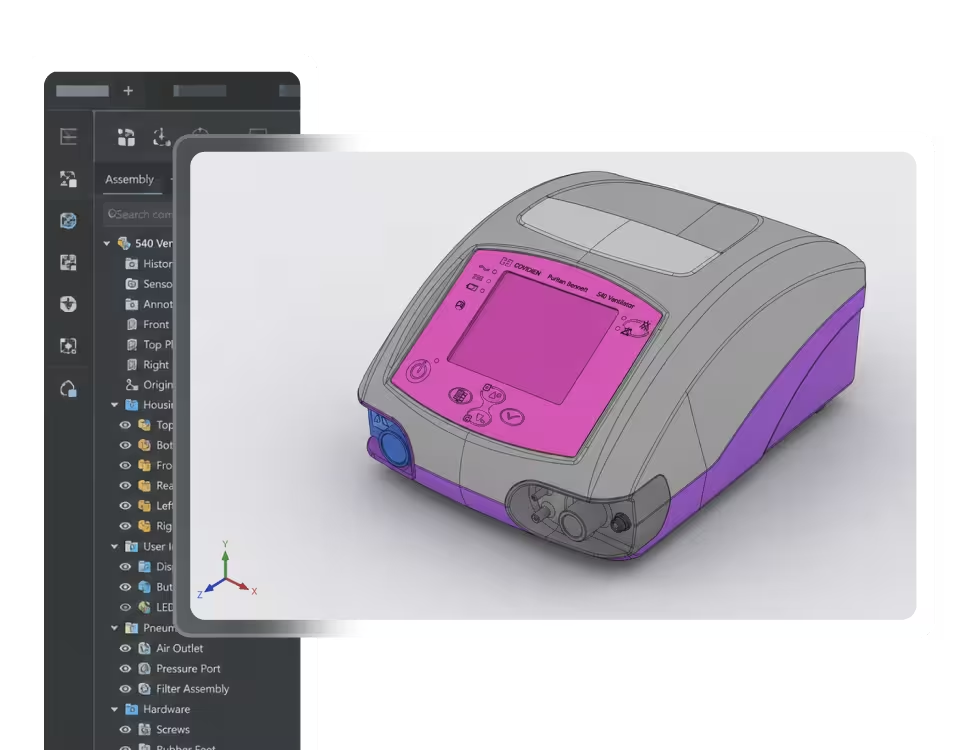
3D model understanding

Evie reads assembly hierarchies, classifies parts, recommends assembly order, and creates exploded views and labels on your 3D model.

[ 03 ]

Legacy content conversion

Evie turns existing PDFs, videos, and legacy documentation into structured, interactive work instructions.

[ 04 ]

Knowledge library

Your standards, terminology, and templates are built into every Evie prompt, so consistency is enforced at creation time.

Meet Evie
Arrow
Meet Evie
[ Envision Creator ]

Author interactive 3D work instructions in a workspace that feels like a slide editor.

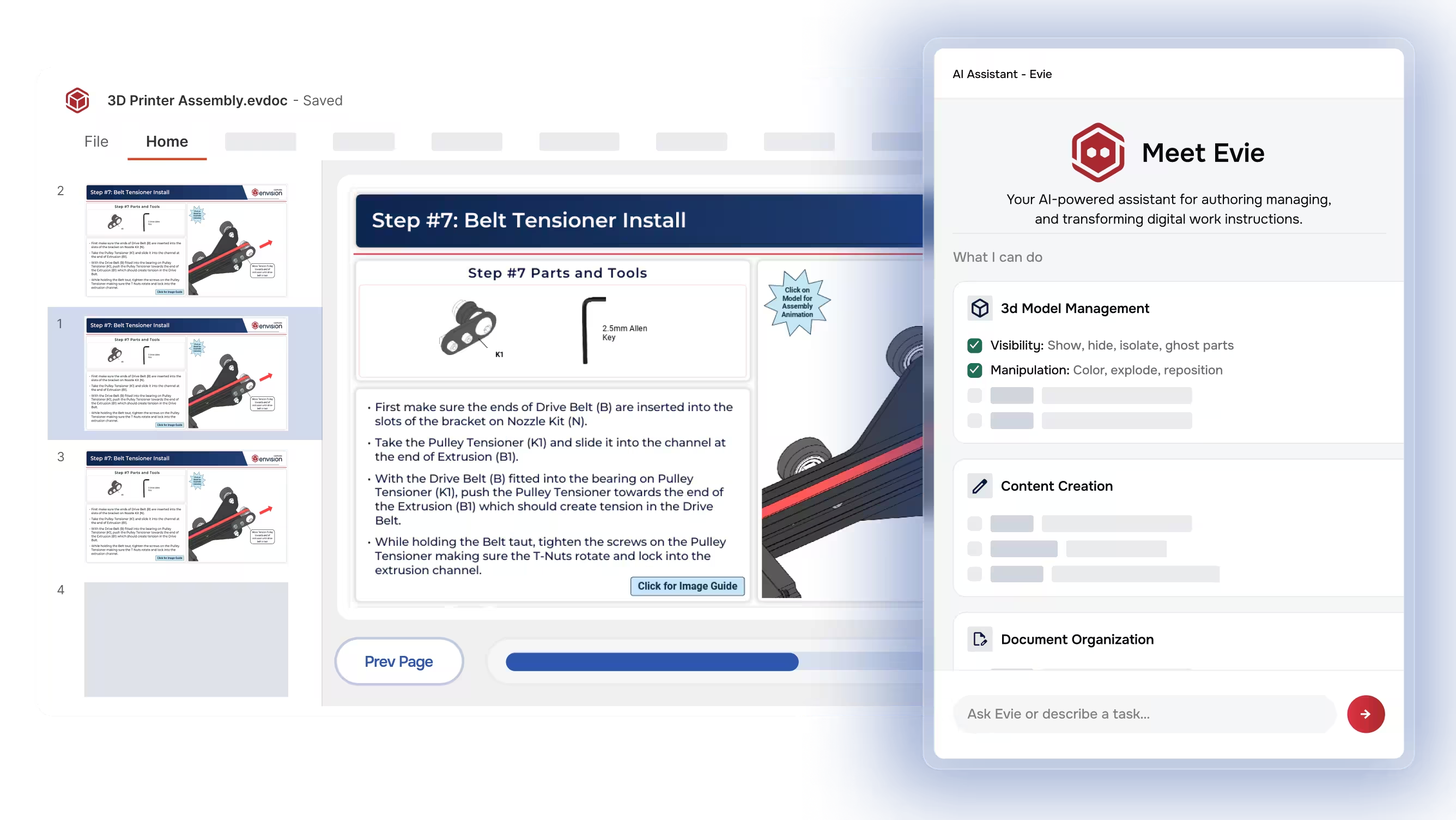
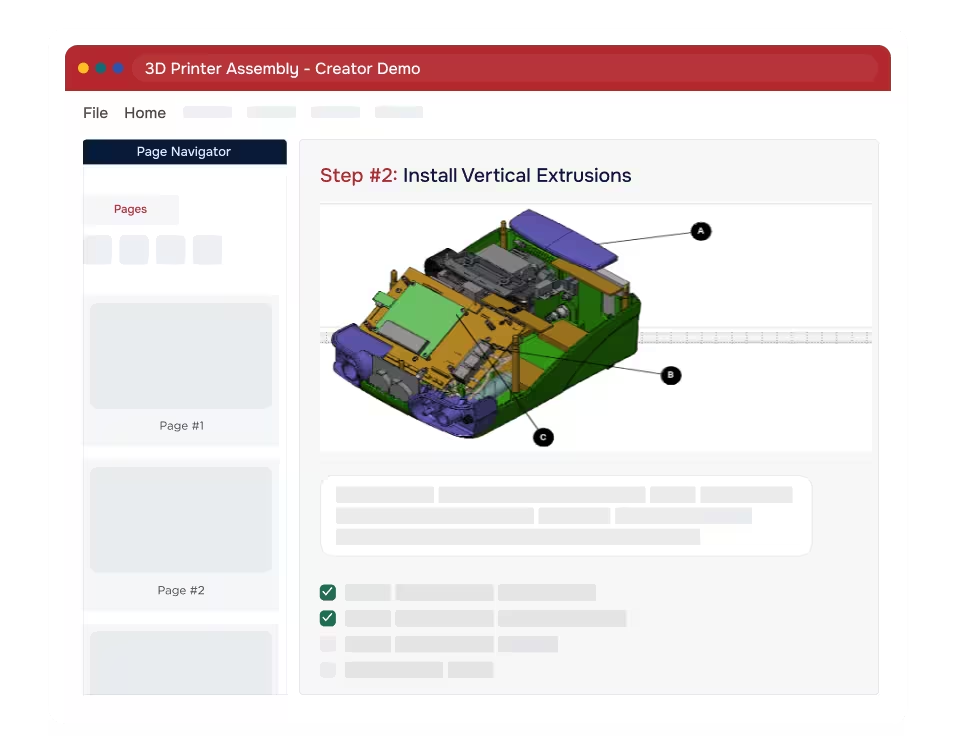
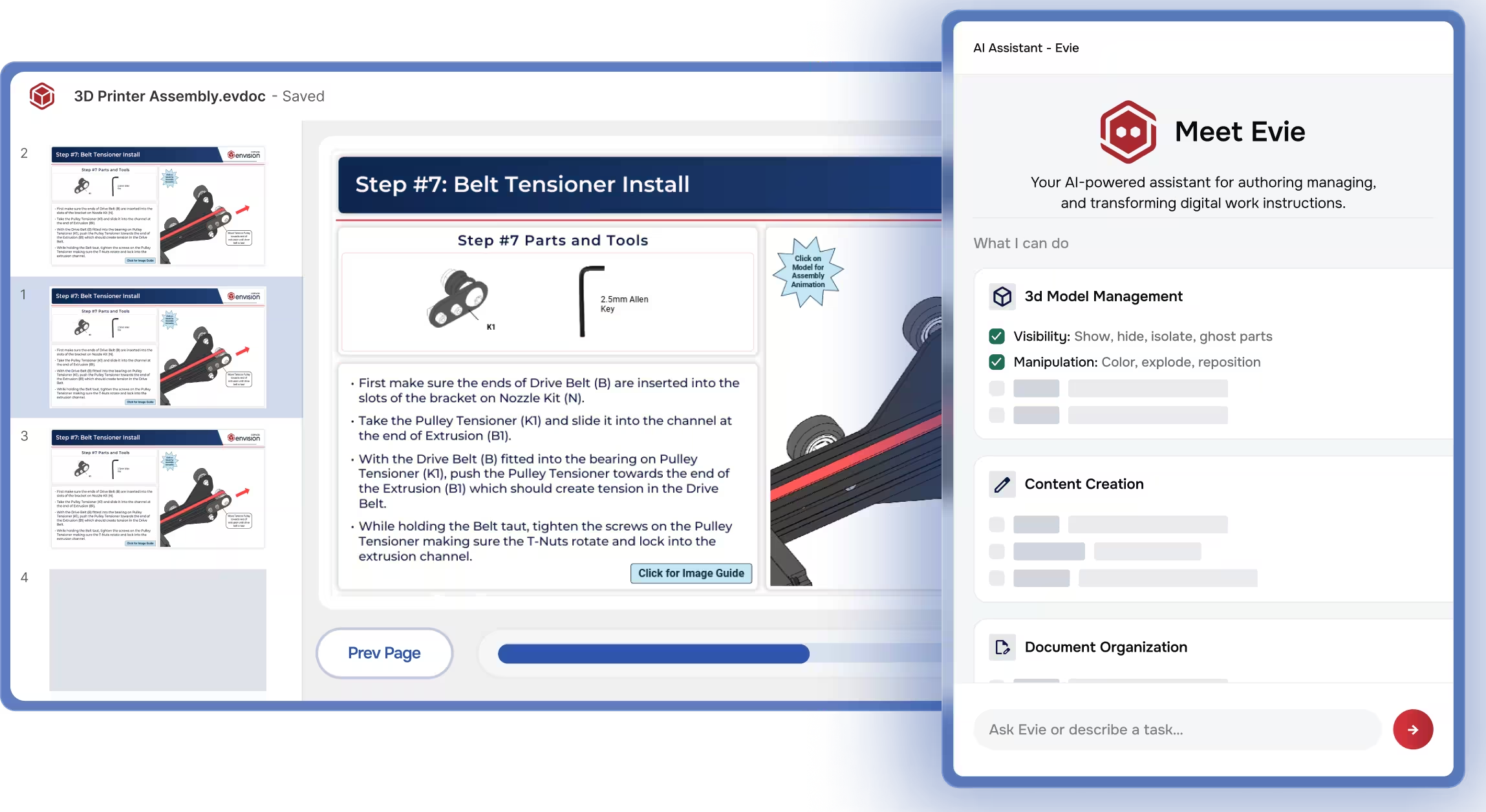
Envision Creator is the no-code authoring environment for Canvas Envision. It combines 3D, animations, video, images, text, and tables in a single workspace, with Evie built in. Authors are productive on day one.

Screen showing step-by-step 3D printer belt tensioner installation with AI assistant Evie panel on the right.
[ 01 ]

Multi-source, multi-media authoring

Combine 3D models, 2D drawings, images, video, audio, text, tables, and interactive gadgets in a single workspace. Existing content becomes the source material for your instructions.

[ 02]

Interactive 3D and animation

Create exploded views, animations, callouts, labels, tables, and other interactive elements on secure, lightweight representations of your CAD data. Interactivity becomes part of the work instruction.

[ 03 ]

Web-enabled gadgets

Drop checklists, torque confirmations, go/no-go inspections, and data capture fields into any step. The instruction becomes the work itself.

[ 04 ]

Knowledge library and flexible output

Store templates, style guides, and reusable content centrally. Author once and adapt for any audience: the workstation, the training program, or the customer deliverable.

Start Authoring
$167/month
Arrow
Start Authoring
Learn more about Envision Creator
[ Envision Operator ]

Deliver the right instruction to the right worker at the point of execution.

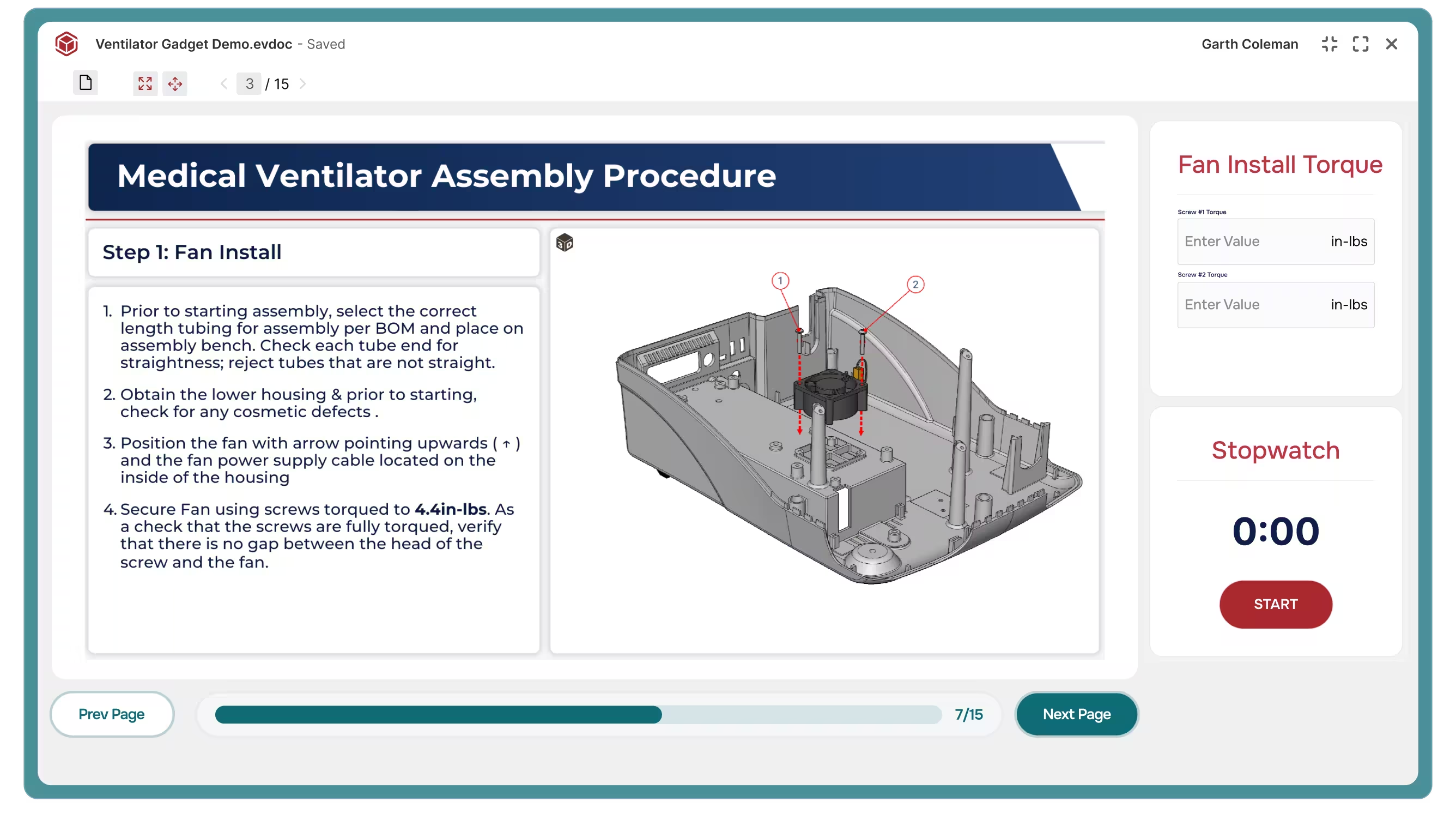
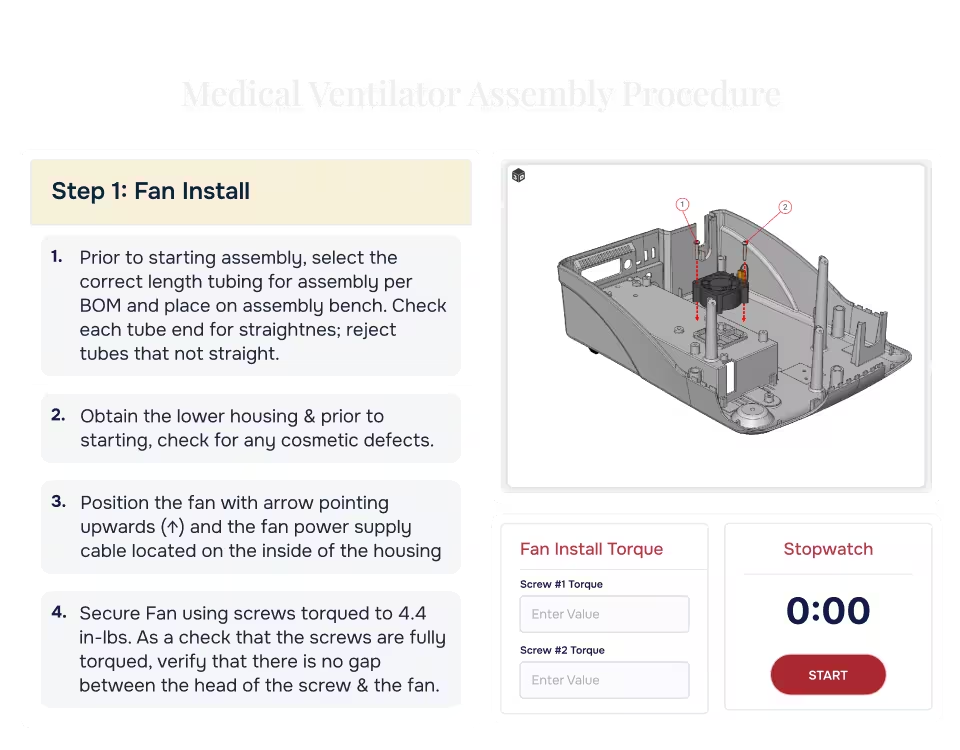
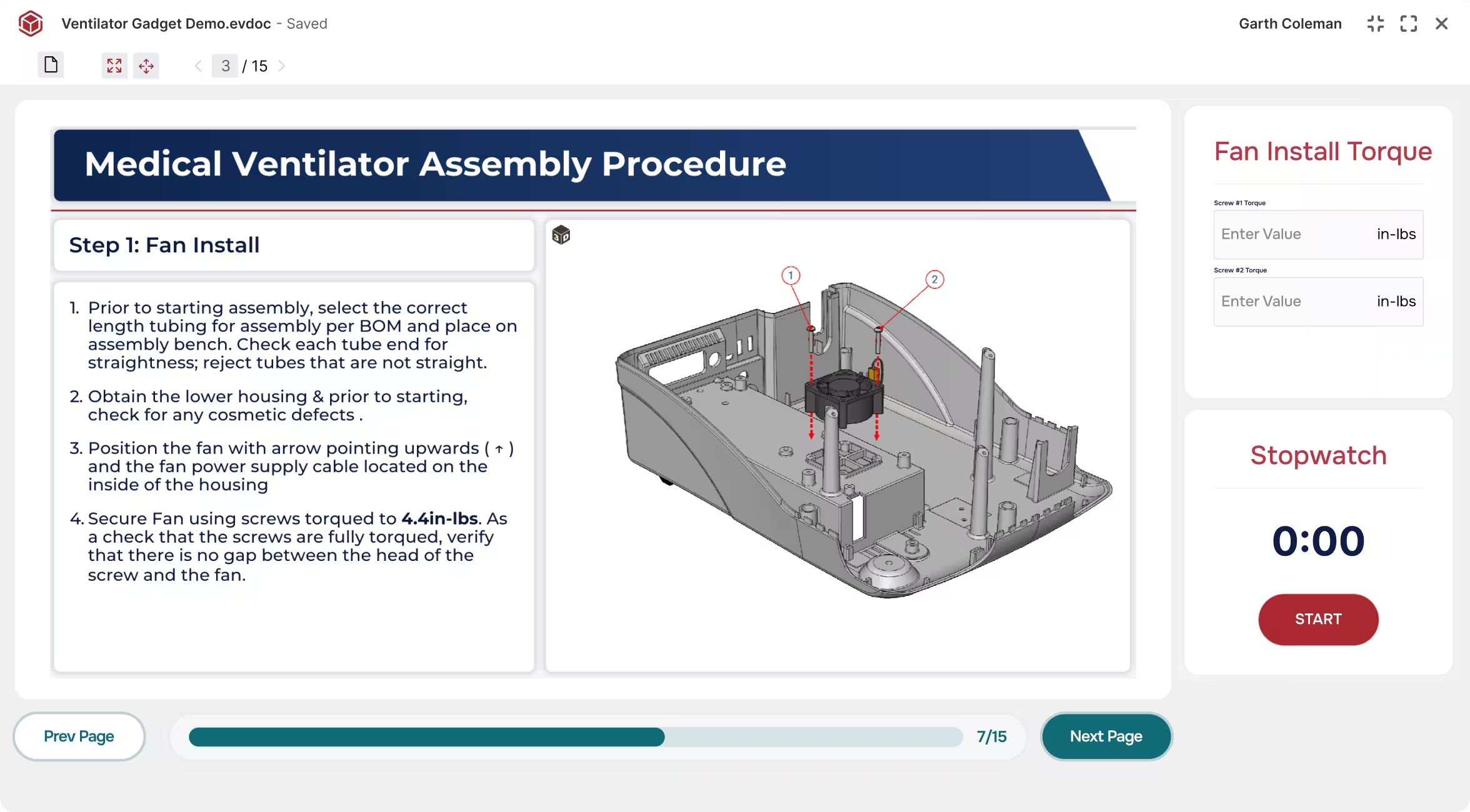
Envision Operator replaces static PDFs and visual aids with interactive, step-by-step work instructions delivered at the point of execution. The instruction is always on during the work. Not an out-of-date generic visual aid or a reference document nobody reads. Digital. Interactive. Always current.

Medical ventilator assembly step showing fan installation with instructions and a 3D parts diagram.
[ 01 ]

Instructions built for execution

Deliver step-by-step instructions purpose-built for the work at hand. Authors layer in the level of detail that fits, from summaries for experienced workers to animations and exploded views for the steps that need them.

[ 02]

Always current with authoring

Publish in Envision Creator and every worker is automatically on the latest version. Version mismatches and out-of-date PDFs disappear.

[ 03 ]

Intentional friction

Pause workers at critical checkpoints: safety acknowledgments, torque specs, and quality holds. Checkpoints cannot be bypassed or back-filled, so quality escapes and incidents drop.

[ 04]

Gadget-driven data capture

Embed data capture gadgets directly in the instruction. Workers capture measurements, dimensional readings, serial numbers, and form responses as they work, and compliance documentation builds itself.

Learn more about Envision Operator
Arrow
Learn more about Envision Operator
[ Envision Connector ]

Connect your engineering systems. Keep instructions current.

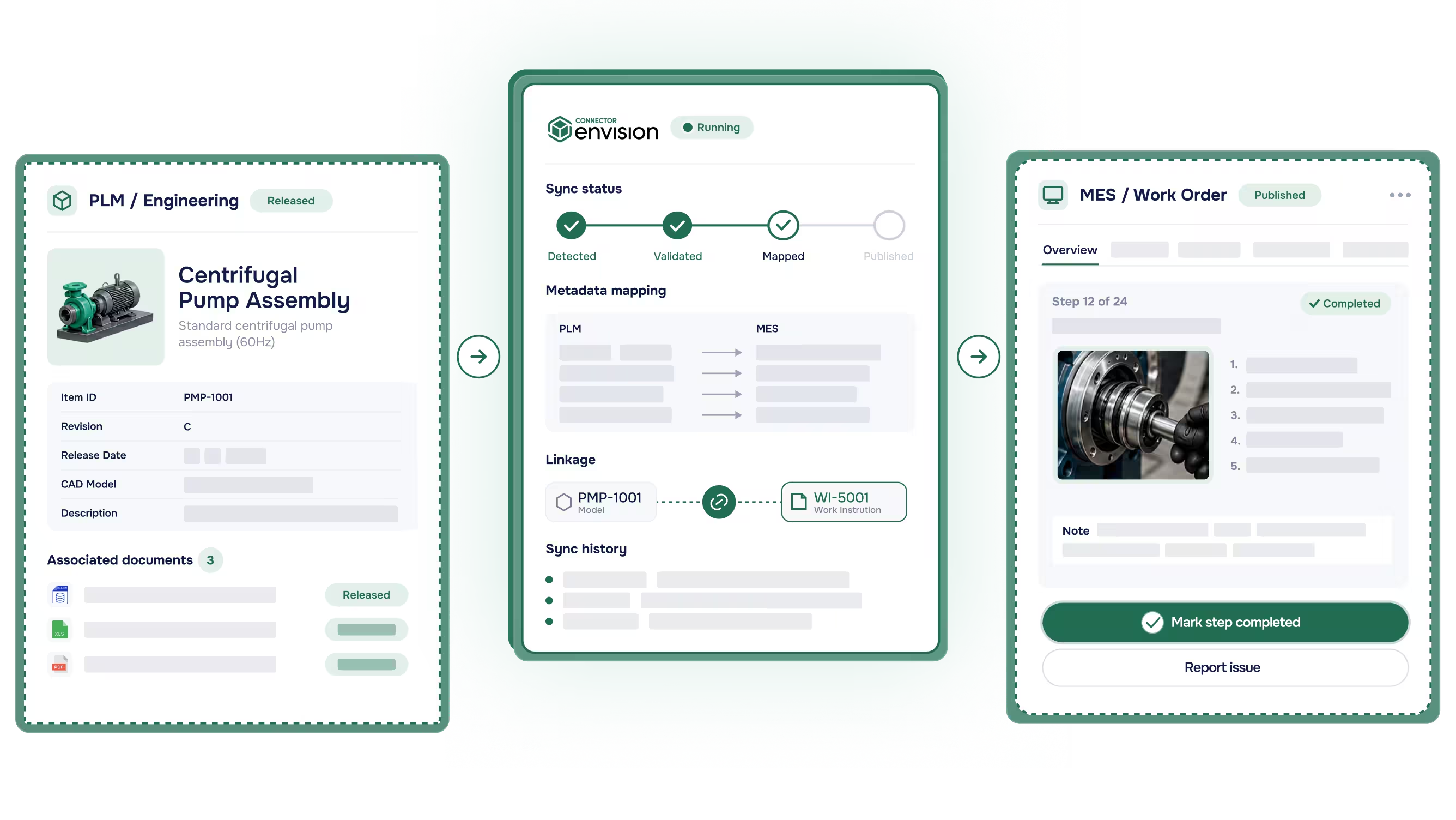
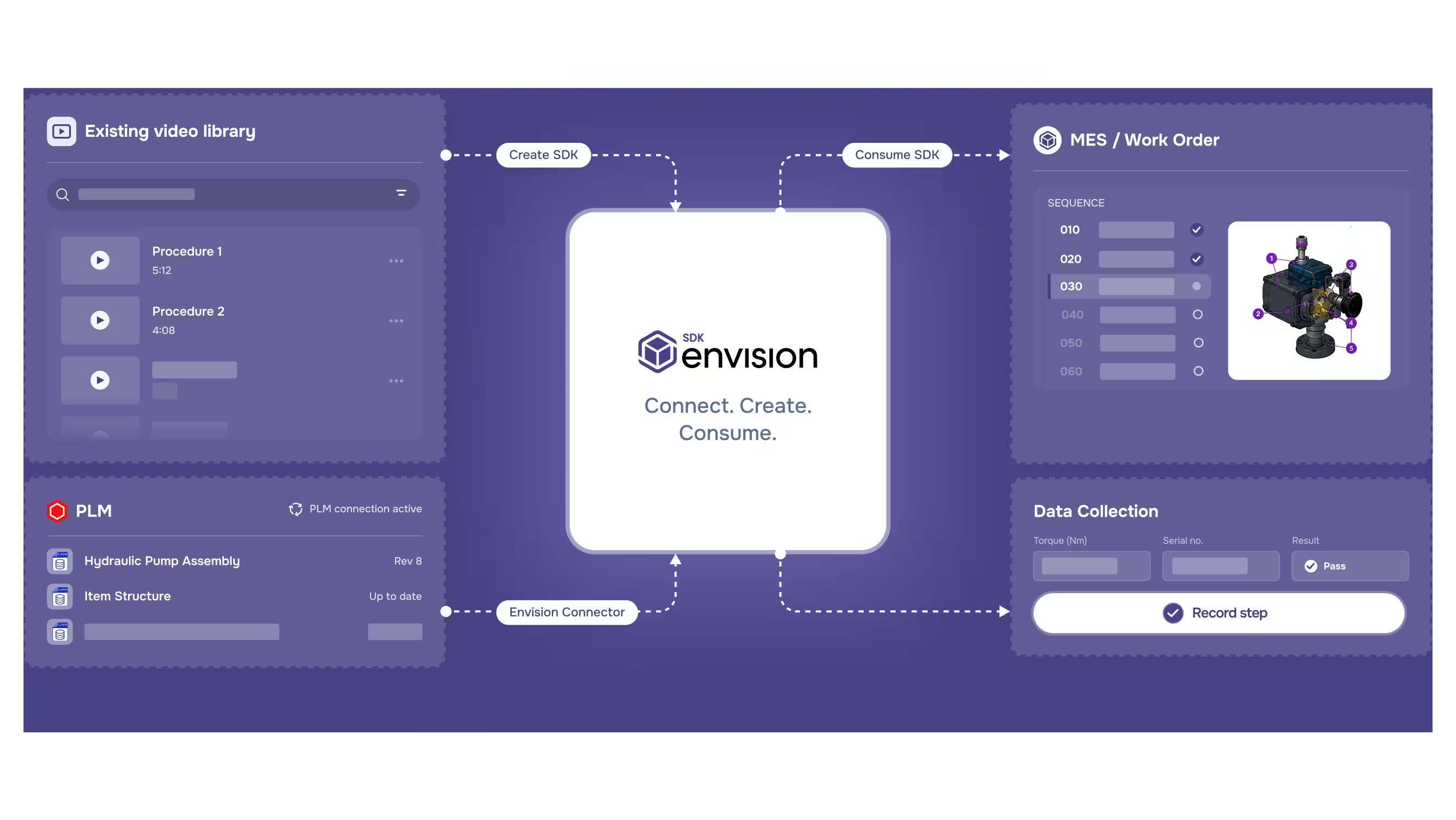
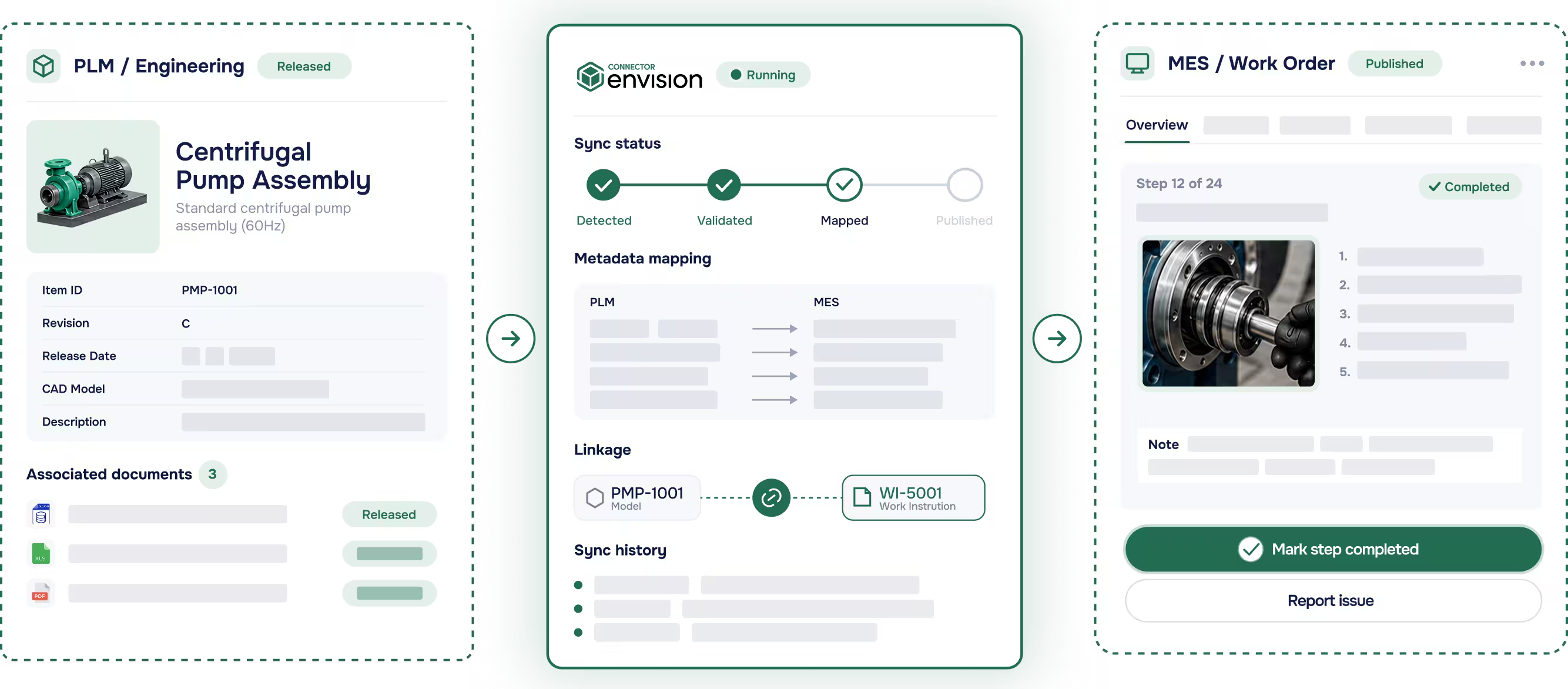
Envision Connector connects your PLM and MES with pre-built integrations. Upstream, it keeps work instructions managed alongside your engineering data and current with engineering changes. Downstream, it delivers interactive work instructions and routes execution data back to your systems of record.

Three connected software panels showing Centrifugal Pump Assembly details, sync status, and MES work order step.
[ 01 ]

PLM integrations

Integrate with Aras, Autodesk Vault, Infor, SSI Shipbuilding, and SAIC ReadyOne. Engineering changes flow through Envision Connector under controlled review.

[ 02]

MES integrations

Surface work instructions inside 42Q and Rockwell Plex. The right instruction appears at the right step in your production sequence.

[ 03 ]

Pre-built and maintained

Use pre-built integrations instead of writing custom code. Each Connector is versioned and supported alongside the platform.

[ 04]

Built on the Envision SDK

Extend with custom integrations of your own. The Envision SDK that powers the pre-built Connectors is available to your team.

Learn more about Envision CONNECTOR
Arrow
Learn more about Envision CONNECTOR
[ Envision SDK ]

Build on the same toolkit Canvas Envision uses to build the platform.

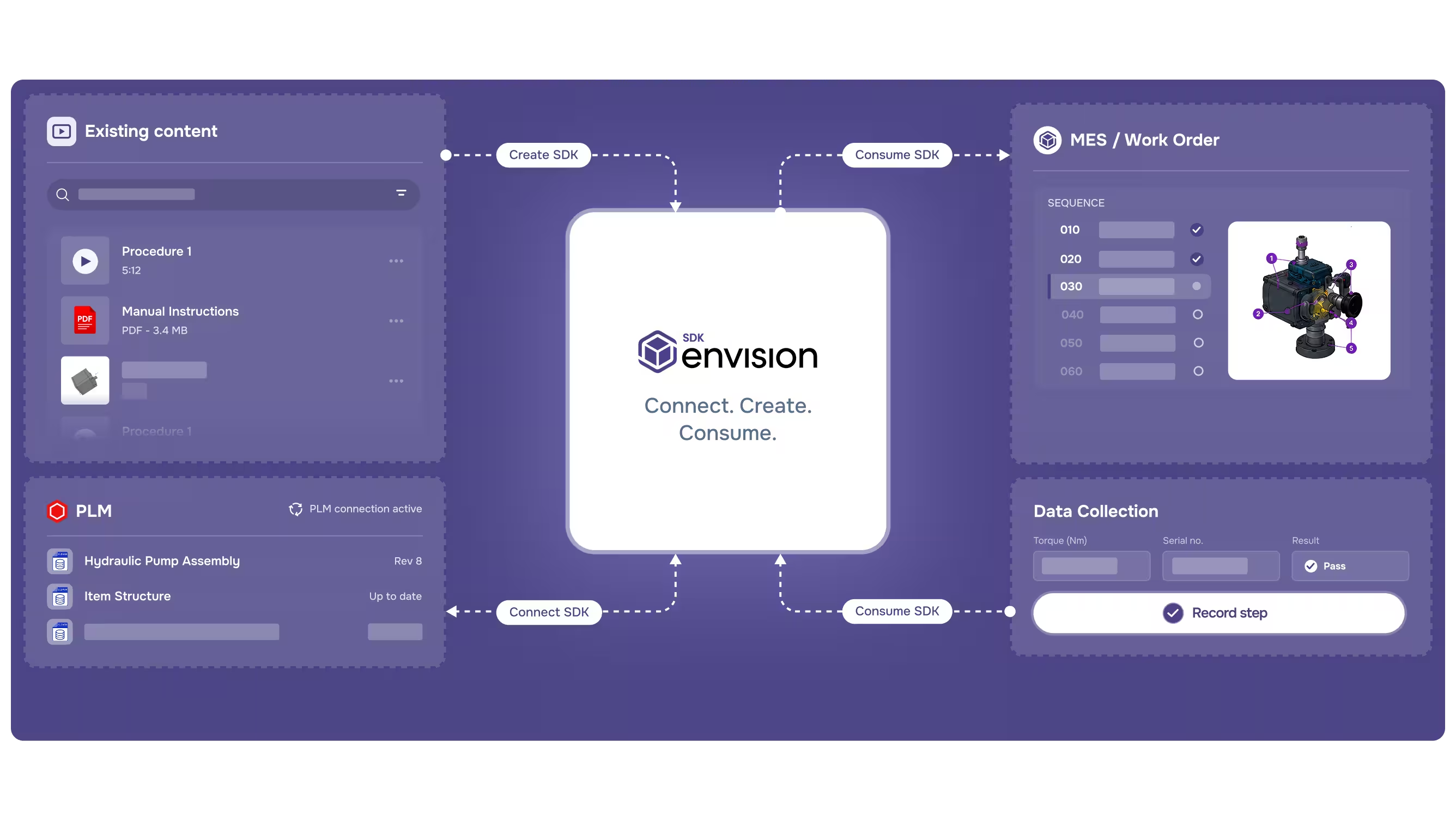
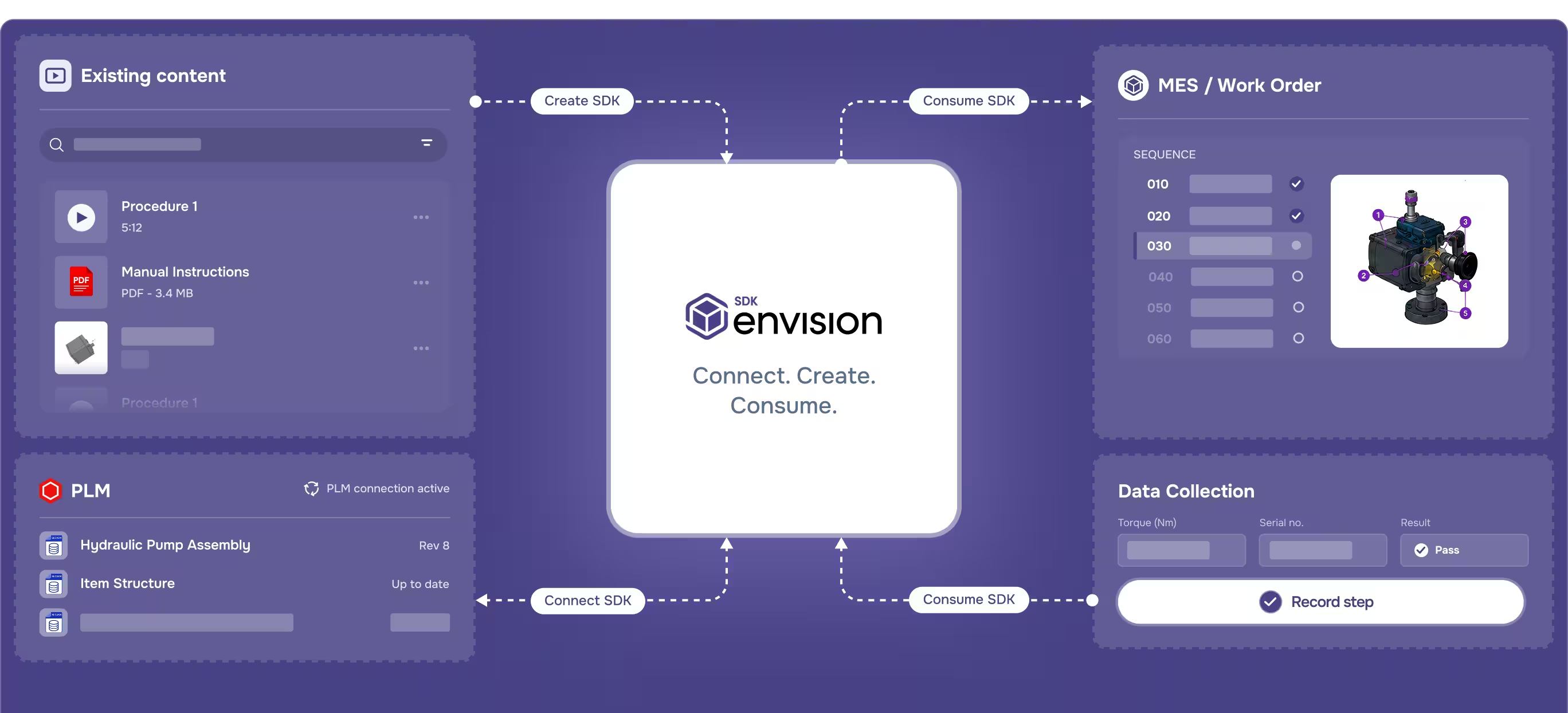
Envision SDK is three SDKs that connect, create, and deliver. Each is production-tested and supported alongside the platform. Use it to extend, automate, or embed Canvas Envision in your own applications.

Diagram showing Envision SDK connecting existing content, MES work order, PLM, and data collection modules.
[ 01 ]

Connect SDK

Build custom PLM integrations on the same patterns Canvas Envision uses for Aras, Autodesk Vault, Infor, SSI Shipbuilding, and SAIC ReadyOne.

[ 02]

Create SDK

Automate authoring with the SDK Evie is trained on. Programmatically generate work instructions from your engineering data, your templates, and your approval flow.

[ 03 ]

Consume SDK

Build custom MES integrations and embed Envision Operator into your own applications. The Consume SDK powers the pre-built 42Q and Rockwell Plex Connectors.

[ 04]

Production-tested

Build on a toolkit that's already at scale. The pre-built Envision Connectors and Evie both run on Envision SDK.

Learn more about Envision SDK
Arrow
Learn more about Envision SDK
[ Benefits ]

Prove value in hours, not weeks.

The platform improves both gross margin and operating margin. Each return shows up at a different point in your journey, and each one compounds as you grow into more of the platform.

[ Cogs ]

Quality savings

Better instructions, intentional friction at the right moments, and engineering-current content all reduce instruction-driven non-conformances. First-pass yield rises and the savings hit cost of goods sold.

[ COGS ]

Operator labor efficiency

Workers spend their time building instead of interpreting drawings, hunting for the right revision, or switching between systems. Cycle times shorten on every shift.

[ OPEX ]

Engineering change cycle savings

Engineering changes flow through Envision Connector under controlled review, Evie helps revise the affected steps, and Envision Operator delivers the new version on the next refresh. The manual cascade across downstream documentation goes away.

[ OPEX ]

Authoring & review cycle savings

CAD reuse, AI-accelerated authoring through Evie, and operator feedback all reduce the time and cost of creating and maintaining work instructions. Authoring that took hours happens in minutes.

Start Authoring
Arrow
Start Authoring
Talk to Sales
Talk to Sales
[ customer story ]
Carnaud Metalbox Engineering logo

CMbE runs governed assembly instructions generated automatically from their PLM.

CMbE runs Canvas Envision with Aras and Manufacturing Process Planning tightly integrated. The manufacturing process plan drives automatic generation of governed work instructions in Envision Creator, flowing directly into the assembly line. Instead of recreating documentation, authors validate and approve content that’s already current with engineering. The result on the line is fewer errors, faster builds, and lower scrap, with engineering changes incorporated in minutes instead of waiting for the next document update cycle.
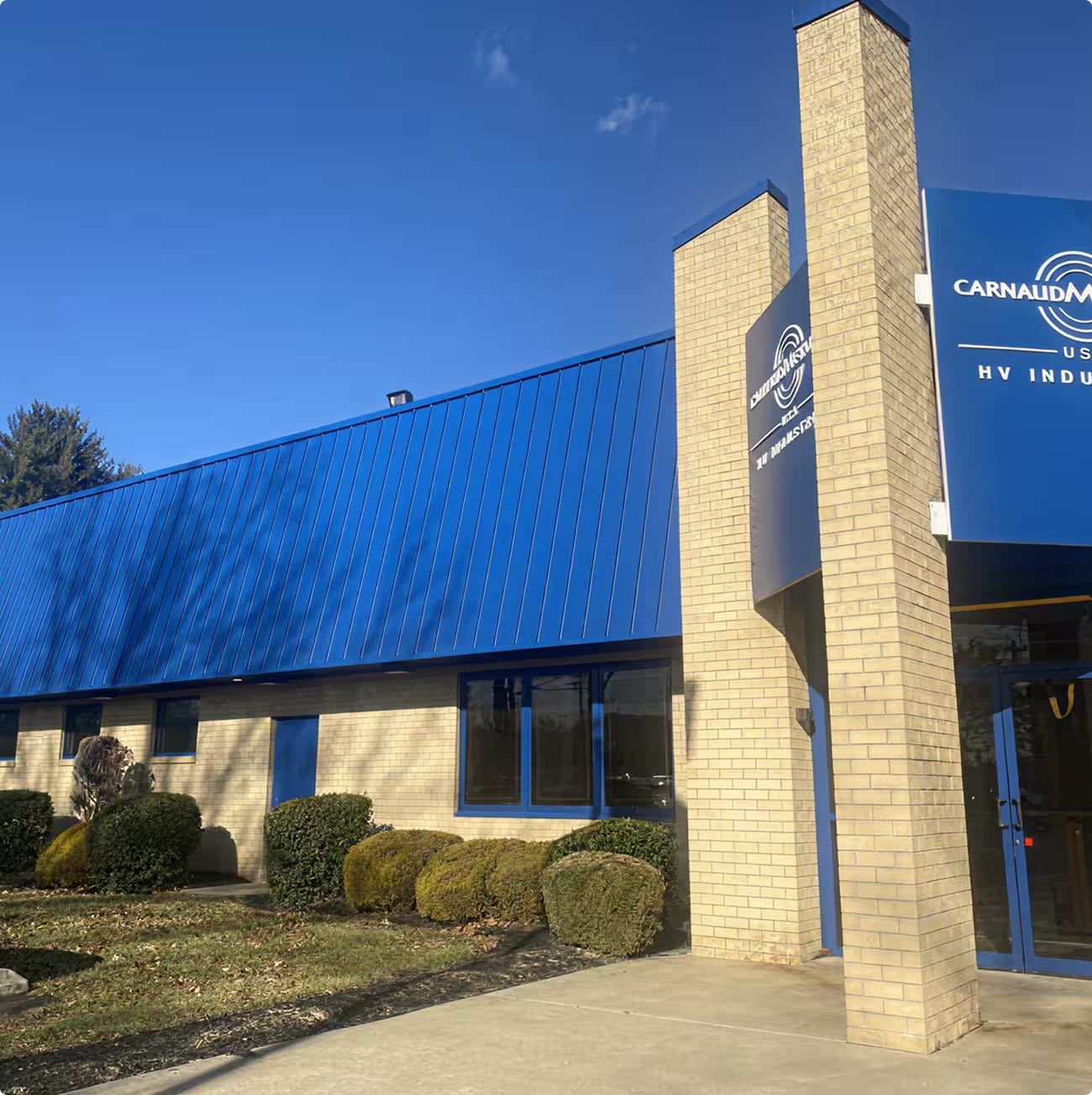

Brick building with blue metal roof and sign reading CarnaudMetalbox USA HV Industries.
[ FAQs ]

Frequently asked questions.

Still have a question?

Our team is standing by to help you evaluate whether Envision is the right fit.

Book a time with us
Book a time with us

What is a manufacturing work instructions platform?

A manufacturing work instructions platform is the system that connects engineering source data to the workers building and servicing your products, with three jobs in one place. It authors the instructions from CAD models, PDFs, videos, and tribal knowledge. It delivers those instructions interactively at the point of execution. And it captures data and feedback from the floor that flows back into engineering. Canvas Envision is purpose-built for this work, with five modules on a single platform: Evie for AI authoring, Envision Creator for the authoring workspace, Envision Operator for execution at the point of work, Envision Connector for PLM and MES integration, and Envision SDK for extension and embedded delivery.

How is a visual execution platform different from work instruction software?

Work instruction software is the authoring tool. Envision Creator is Canvas Envision's work instruction software, and on its own it produces polished static documents you can publish today. A visual execution platform is the larger system that pairs the authoring tool with interactive on-platform delivery, integrations to your PLM and MES, governed knowledge management, and the data and feedback loop back to engineering. Most teams start with Envision Creator and grow into the platform as the program matures.

 Is Canvas Envision a digital work instructions platform?

Yes. Canvas Envision delivers digital work instructions interactively at the point of execution through Envision Operator, with adaptive detail by worker skill, language, and device. The instructions stay current because they are tied to engineering source data through Envision Connector and refreshed automatically as designs change. Compared to a static digital document, the instruction is the active work surface itself, with built-in checkpoints, data capture, and feedback that flows back into engineering.

Do I need 3D CAD to use Canvas Envision?

3D CAD is the strongest source content, with interactive geometry, exploded views, and animations your workers can explore. If you have it, Envision Creator authors directly from it and Evie accelerates the work. If you don't, Evie ingests existing PDFs, videos, scanned manuals, and other documentation and converts them into interactive instructions. You can grow into 3D as your engineering data flow matures.

Does Canvas Envision integrate with our PLM and MES?

Yes. Envision Connector includes pre-built integrations to Aras, Autodesk Vault, Infor, SSI Shipbuilding, and SAIC ReadyOne on the PLM side, and 42Q and Rockwell Plex on the MES side. You can extend with custom integrations using Envision SDK.

How quickly can we prove value?

Authors are productive on day one with the content you already have. Evie benchmarks show authoring operations that took hours happen in minutes. Program-level returns typically show up in the first weeks.

 Can I start with one module and expand?

Yes. Most customers start with Envision Creator for authoring, then add Envision Operator, Envision Connector, and Envision SDK as the program matures. Each stage delivers value on its own, and the returns compound as you take the next.

How is Canvas Envision priced?

Envision Creator starts at $167 per author per month. For the full platform, contact us for pricing.

Where does our data live?

Canvas Envision supports public multi-tenant SaaS, private single-tenant, GovCloud for regulated and sovereign workloads, and on-premises for high-security or classified environments. See the Security page for details.

See your engineering data become interactive work instructions.

Book a demo with your own CAD data. Most teams are authoring in minutes.

Request a Demo
Arrow
Request a Demo
Request Pricing
Request Pricing