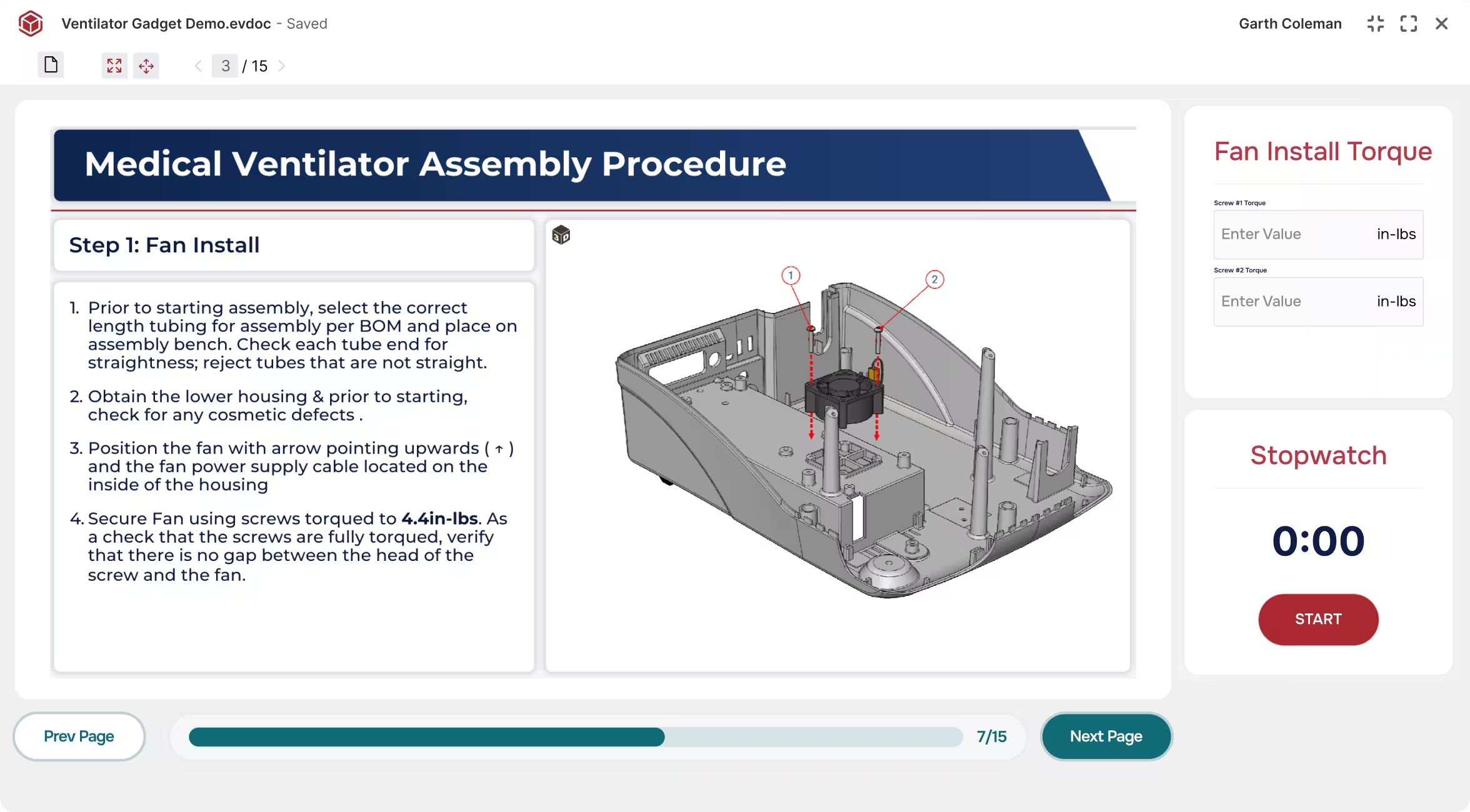


Where workers execute standard work.

Envision Operator is the visual execution layer in front of your Manufacturing Execution System (MES). When it’s time to execute, Envision Operator is the surface the worker sees, and it’s interactive, adaptive, and always current. The instruction is the active interface between your worker and your system of record, always on during the work.

Request a Demo
Arrow
Request a Demo
Request Pricing
Request Pricing
Medical ventilator assembly step showing fan installation with instructions and a 3D parts diagram.
[ TRUSTED BY WORLD-CLASS MANUFACTURERS ]
Zipline
Marvin Engineering Company logo
Azenta Life Sciences
Otis
[ WHY ENVISION OPERATOR ]

The instruction becomes the work.

Envision Operator changes the nature of the work instruction experience. For decades, workers have been served by visual aids, reference binders, and static SOPs that sat alongside the work. Going digital with PDFs and screen-shared documents kept those references close at hand without changing the basic relationship, where content lived off to the side while the work happened elsewhere.

Envision Operator puts adaptive 3D guidance, embedded data capture, and live updates from engineering on the surface where the work is happening. Today’s instruction teaches a new hire and reminds a veteran from the same source content. It updates when engineering changes. It captures inspection results, confirmations, and worker observations as the work happens, without becoming a separate compliance task. The instruction is the work.

[ How It Works ]

Author once, deliver instantly, learn from the floor.

Step [01]

Author once, deploy instantly

Engineering and operations author interactive work instructions in Envision Creator. Deploy to all connected workers instantly. No batch publishing, no overnight sync, no “we’ll roll this out next week.”

Step [02]

Workers execute with interactive instructions

Workers follow visual, step-by-step instructions focused on the job at hand. New hires see the full picture. Experienced operators see only what’s different about this build. Safety checks, compliance checkpoints, and critical confirmations are built into the instruction, not bolted on as a separate task.

Step [03]

Engineering learns from the floor

What happened during execution flows back. Confirmations, measurements, worker observations, and design feedback route to your systems of record and to engineering. Each revision is informed by the work that came before.

Request a Demo
Arrow
Request a Demo
Request Pricing
Request Pricing
[ Benefits ]

Faster onboarding, fewer errors, safer builds.

Adaptive instructions, every worker, every shift

New hires get full step-by-step guidance with maximum visual context. Experienced workers get an abbreviated view showing only what’s different about this particular job. The same instruction, different rendering, no duplicate content to maintain. Precision matched to the worker.

Always-current content, no lag from authoring to floor

When work instructions are updated in Envision Creator, those updates are immediately available through Envision Operator to the workers consuming them. There is no publishing batch and no overnight sync. When engineering changes drive a work instruction update, the floor sees the corrected instruction as soon as the author releases it.

Compliance becomes automatic

Intentional friction points like safety acknowledgments, critical torque specs, and quality holds become mandatory pauses built into the workflow. Workers can’t proceed past a critical step until the required check is complete, which keeps every build compliant and every worker safe.

[ Features ]

Every execution capability at the point of work.

Instructions built for execution

Workers complete tasks faster and with fewer errors because the instruction shows only what matters for the job at hand. Authors create different versions for different audiences in Envision Creator: detailed step-by-step for new hires, streamlined procedures for experienced operators, focused overviews for training.

Device-aware delivery

Desktop monitors at the workstation, tablets on the shop floor, ruggedized devices in the field, different aspect ratios, and traditional paper-based outputs are all supported. Envision Operator is built for the surface the worker is actually using.

Multilingual delivery

Authors create the source content once, and Envision Operator delivers it in any language. Workers see instructions in their locale without a separate translation step.

Data capture and feedback

Data collection gadgets in the instruction capture measurements, dimensional readings, serial numbers, form responses, and worker observations as the work happens. Webhooks route those records to any connected system of record, with queries and filters in place so each system receives the data that matters to it. Quality, MES, document management, and engineering can all receive feedback as a natural part of execution.

Lean standard work, digitized

Envision Operator is the visual execution surface for lean standard work. Every worker on every shift follows the same documented procedure, with current revision matched to the build and adaptive detail matched to experience level. Continuous improvement feedback flows back to authoring as part of execution.

Works alongside your MES

Envision Operator extends the MES into the visual execution layer. The MES handles workflow orchestration, scheduling, and permissions, while Envision Operator is the visual, instructional surface where workers execute. The two systems play complementary roles, so your IT team does not have to choose between investments. For organizations without an MES, Envision Operator works standalone.

[ customer story ]
Otis logo

OTIS turned 30 pages of 2D into 7 minutes of 3D.

OTIS Leadership replaced 30 pages of 2D paper and PDF work instructions with 7 minutes of interactive 3D guidance. Task completion time dropped. Rework rates fell. Workers reported higher confidence on their first solo attempt. The bigger idea is watch-while-you-work, where training and execution become the same thing.

see More Success Stories
Arrow
see More Success Stories
7 minutes

of interactive 3D replaced 30 pages of 3D documentation
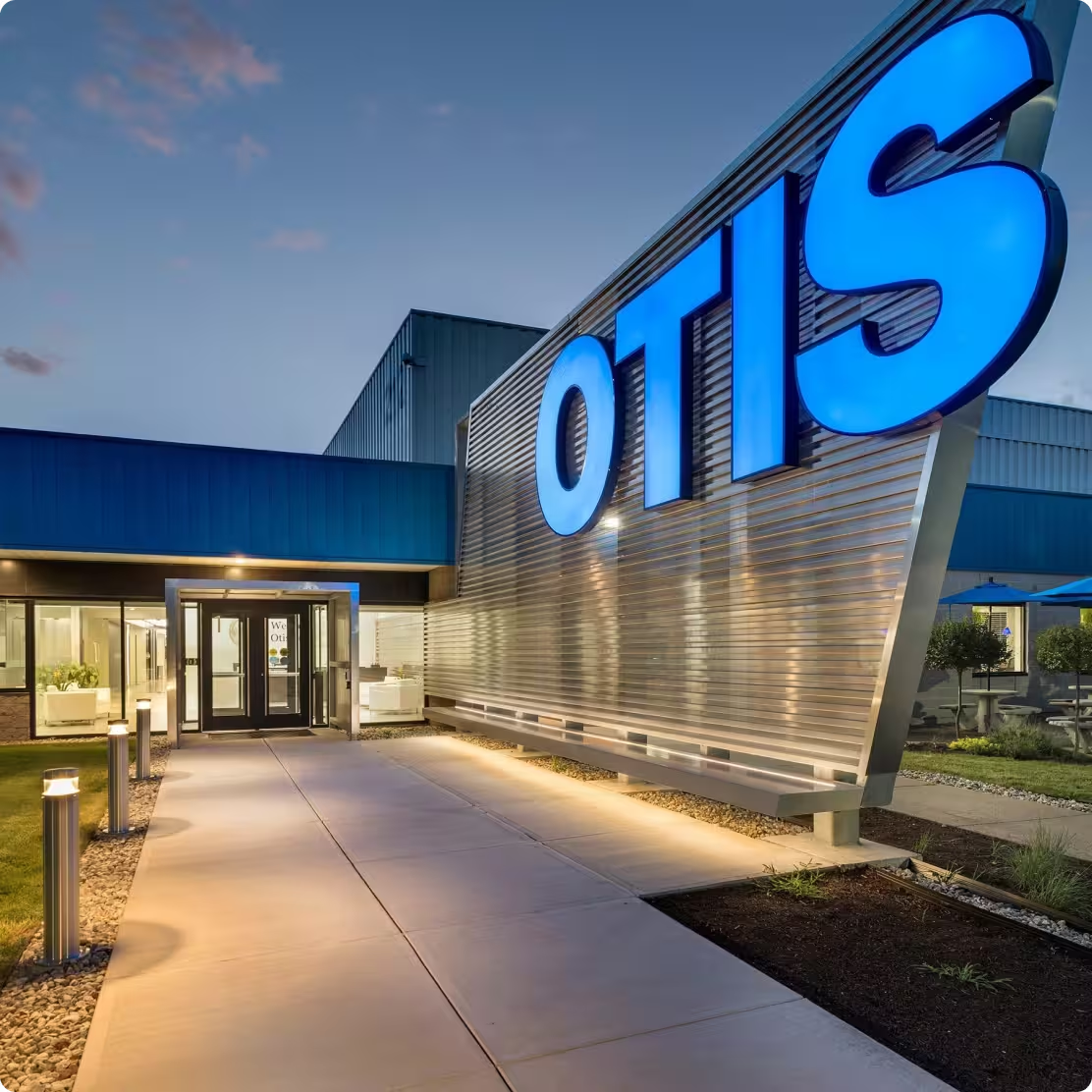
Entrance walkway to a building with large illuminated OTIS sign on metallic wall at dusk.
[ FAQs ]

Frequently Asked Questions.

Still wondering? We're happy to talk through your specific assembly use case.

Contact Us
Contact Us

How does Envision Operator support lean standard work?

Envision Operator is the digital execution surface for lean standard work. Every worker on every shift follows the same documented procedure, with current revision matched to the build and adaptive detail matched to experience level. Quality holds, torque checks, and safety acknowledgments are built into the workflow as mandatory pauses. Feedback from execution flows back to authoring, so the standard work evolves with the line.

Does Envision Operator work offline?

Yes. Instructions can be downloaded for environments where connectivity is limited or unavailable.

What data flows through Envision Operator?

Data collection gadgets in the instruction capture measurements, dimensional readings, serial numbers, form responses, and worker observations as the work happens. Webhooks route those records to any connected system of record, with queries and filters available so each system receives the data that matters to it. Quality systems, MES, document management, and engineering can all receive feedback as a natural part of execution.

Can anonymous users view instructions without a named Envision Operator license?

Yes. You can share instructions publicly or privately without requiring named-user login. Anonymous viewers see your instructions with Envision branding. No user data is captured and no per-user traceability is enabled. Named Envision Operator licenses unlock the full set of execution capabilities.

Does Envision Operator integrate with our production systems?

Yes. Through Envision Connector, Envision Operator integrates with manufacturing execution systems (42Q, Rockwell Plex) and with PLM platforms (Aras, Autodesk Vault, Infor, SSI Shipbuilding, SAIC ReadyOne). Custom integrations to other systems are available via the Envision SDK.

Does Evie run inside Envision Operator?

No. Evie operates inside Envision Creator on the authoring side. Evie’s outputs reach the floor through the normal Envision Creator-to-Envision Operator publishing path. See the Evie page for the AI detail.

How is Envision Operator different from a static work instruction PDF viewer?

A PDF viewer displays a document. Envision Operator is the active, always-on visual execution surface, with adaptive instructions, intentional friction at critical checkpoints, instant updates from authoring, and execution data flowing back to your systems. The instruction is the work surface itself, always on during the work.

[ Explore further ]

The rest of the platform.

Canvas Envision Creator icon

Author the instructions Envision Operator delivers.

Canvas Envision Connector icon

APIs, webhooks, and developer tools to extend the platform.

Canvas Envision Evie icon

Canvas Envision's AI for manufacturing work instructions.

Canvas Envision SDK icon

Pre-built PLM and MES integrations: Aras, Autodesk Vault, Infor, SSI Shipbuilding PLM, SAIC ReadyOne, 42Q, Rockwell Plex.

See your engineering data become visual work instructions.

Start authoring today for $167 per author per month, or request a demo with your own CAD data. Most teams are authoring in minutes.

START AUTHORING
$167/MONTH
Arrow
START AUTHORING
See it in Action
See it in Action